S.P. Back-office is an internal staff experience that enables SinglePoint employees to perform essential tasks on behalf of users, and assist users when they request support. It serves as the bridge between front-line customer interactions and the bank’s internal systems, ensuring smooth operations, compliance, and efficient service.
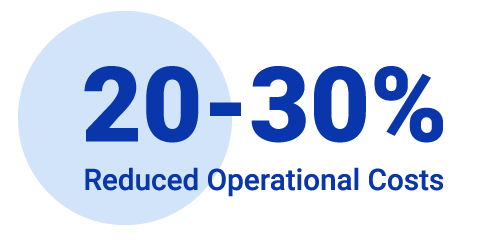
Reduced Operational Costs: Streamlined workflows and reduced manual interventions, contributing to an estimated 20–30% decrease in support handling time and lower dependency on internal teams.
Enhanced Usability: Usability testing showed higher task success rates and fewer critical errors, indicating improved user confidence and reduced training and onboarding costs.
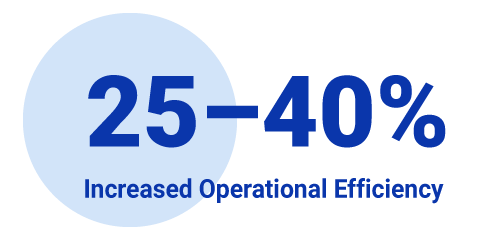
Increased Operational Efficiency: Optimized task flows shortened time-on-task by approximately 25–40%, helping teams process higher volumes with fewer bottlenecks.
Improved Accessibility & Compliance: Designed to WCAG standards, expanding the eligible workforce and reducing accommodation-related friction, supporting risk reduction and compliance KPIs while improving employee retention potential.
As Lead experience designer, I led design execution and collaboration across a multidisciplinary teams, partnering closely with researcher, content strategist, and product owner, alongside accessibility, and development teams.
Key responsibilities:
Product strategy: Partnered with the Corporate customer support team, Client implementation team, Product owner, and Project manager to define a clear, comprehensive product strategy aligned with user needs and business goals.
Information architecture: Defined a clear, intuitive platform structure.
User flows & wireframes: Mapped end-to-end journeys and produced wireframes to guide development.
Visual design & prototyping: Designed the UI and built interactive prototypes to validate solutions.
Accessibility: Collaborated with specialists to meet accessibility standards and ensure inclusive experiences.
This case study uses domain-specific terminology. The definitions below clarify how these terms are used within the Back-office SinglePoint ecosystem:
SinglePoint Back-office An internal system designed for bankers to manage customers, users, accounts, and permissions. This is the system modernized in this case study.
SinglePoint U.S. Bank’s digital platform used by corporate customers to manage accounts and services, supported by internal back-office tools.
Customer A business or organization that uses SinglePoint services. Customers may have multiple accounts and multiple users associated with them.
Services A suite of approximately 40 business banking services available within the SinglePoint platform. These services support a wide range of financial and operational needs, including payments, account management, cash flow, reporting, and self-service capabilities.
Customer’s services Part of the SinglePoint services assigned to the customer.
Account Refers to the customer bank accounts.
User An employee of a customer organization who accesses SinglePoint to perform business tasks. Users have assigned roles and permissions that determine their level of access.
Account’s services Part of the Customer’s services assigned to specific account.
User’s services Part of the Customer’s services assigned to specific user.
Banker A U.S. Bank employee who uses the SinglePoint back-office system to support Customers and Users. Bankers perform tasks such as customer setup, user management, and account maintenance.
During the Discovery phase, my team and I led several key initiatives:
Mapped the current-state system to identify gaps, dependencies, and inefficiencies;
Created an object map to clarify core entities, relationships, and ownership;
Conducted 20 user interviews and observational sessions to understand workflows, pain points, and constraints;
Developed user journey maps to visualize end-to-end experiences and uncover friction points;
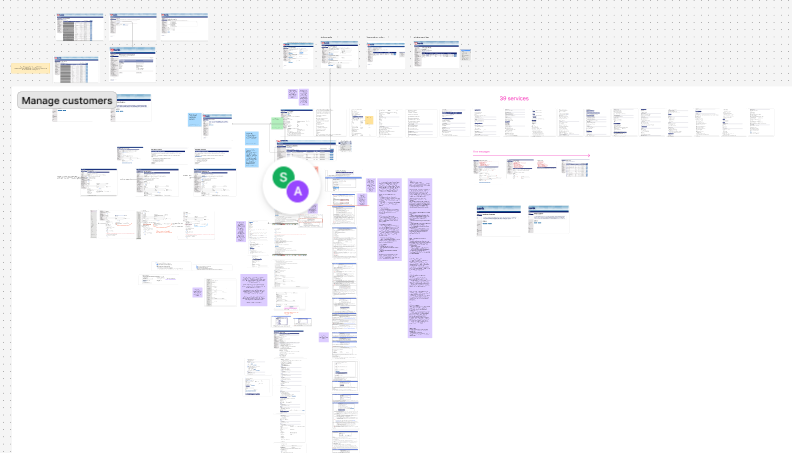
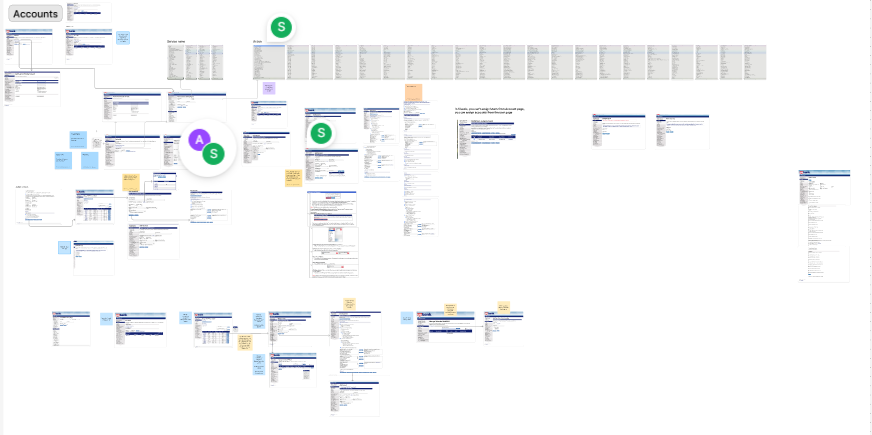
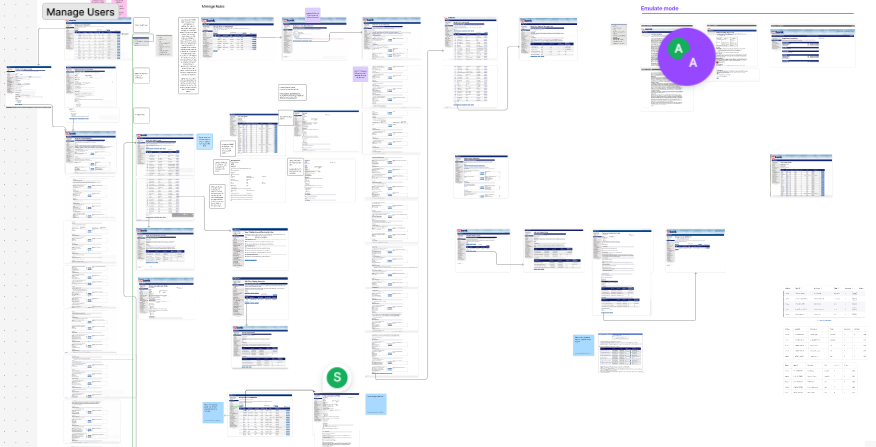
Current-state system mapping
FigJam board showing a comprehensive Manage customers workflow for an enterprise platform.
Object mapping
Creating an object map is an artifact from OOUX and ORCA process (Objects, Relationships, Calls to Action, Attributes) is a systematic approach that helps identify all key objects within a project, define the actions users can perform with them, and map out the relationships between these objects. This method ultimately leads to the creation of a comprehensive system map that illustrates how all the components interact within the user experience. This is a crucial step in my process, it helps me to build a complex system even if the user data is not enough.
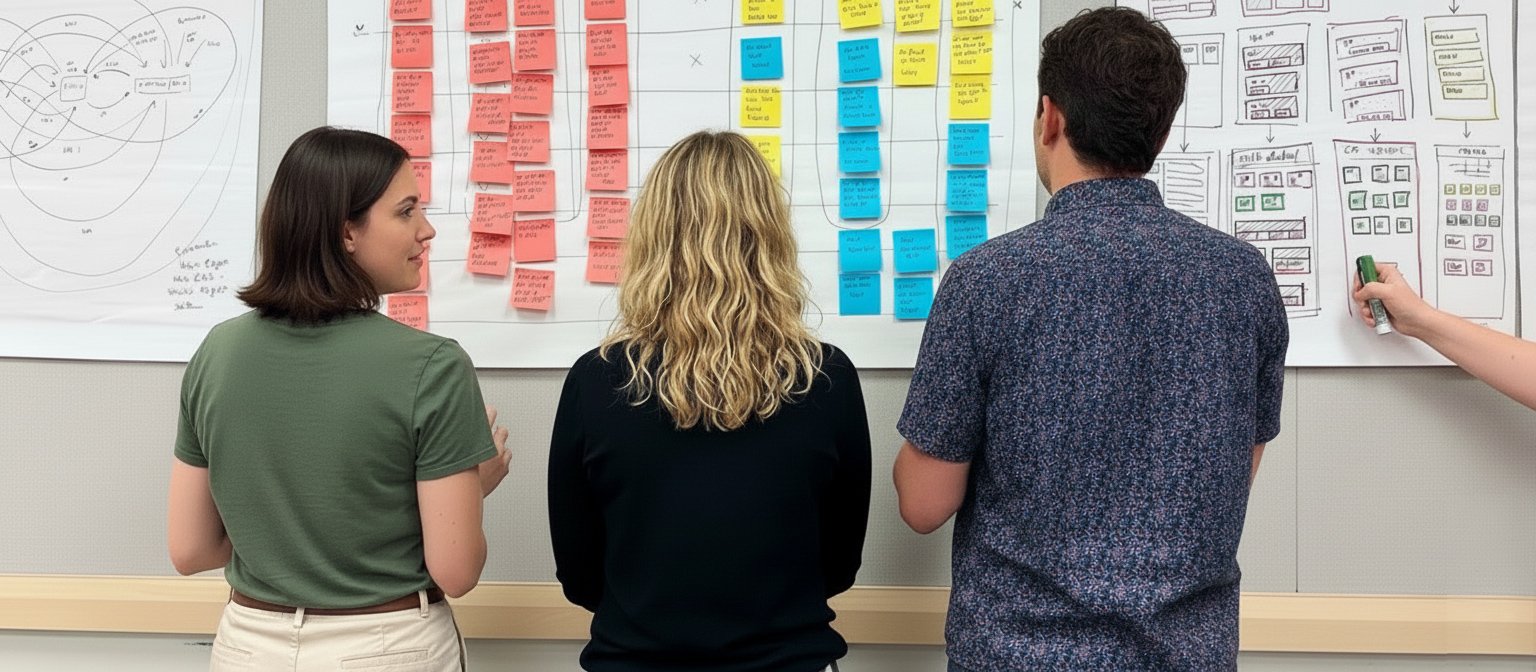
Simona and two other people from her team walking through an object map during an OOUX workshop.
User insights
Problem statements
During our discovery, I identified four main problem statements:
Disruptive navigation and redundant search;
Unclear assignment path across customer’s services, accounts and users;
No efficient way to find users and accounts for emulation;
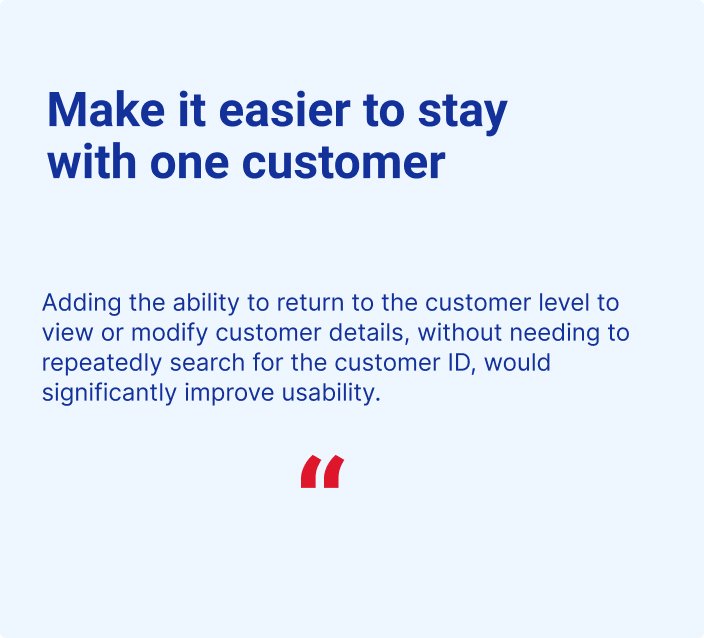
SinglePoint bankers must repeatedly search for customer ID to return to the customer profile after navigating to Manage users, accounts, or services. This leads to:
Increased task completion time due to repetitive manual searches.
Higher risk of errors from re-entering complex customer IDs.
Frustration and workflow disruption caused by constant context-switching.
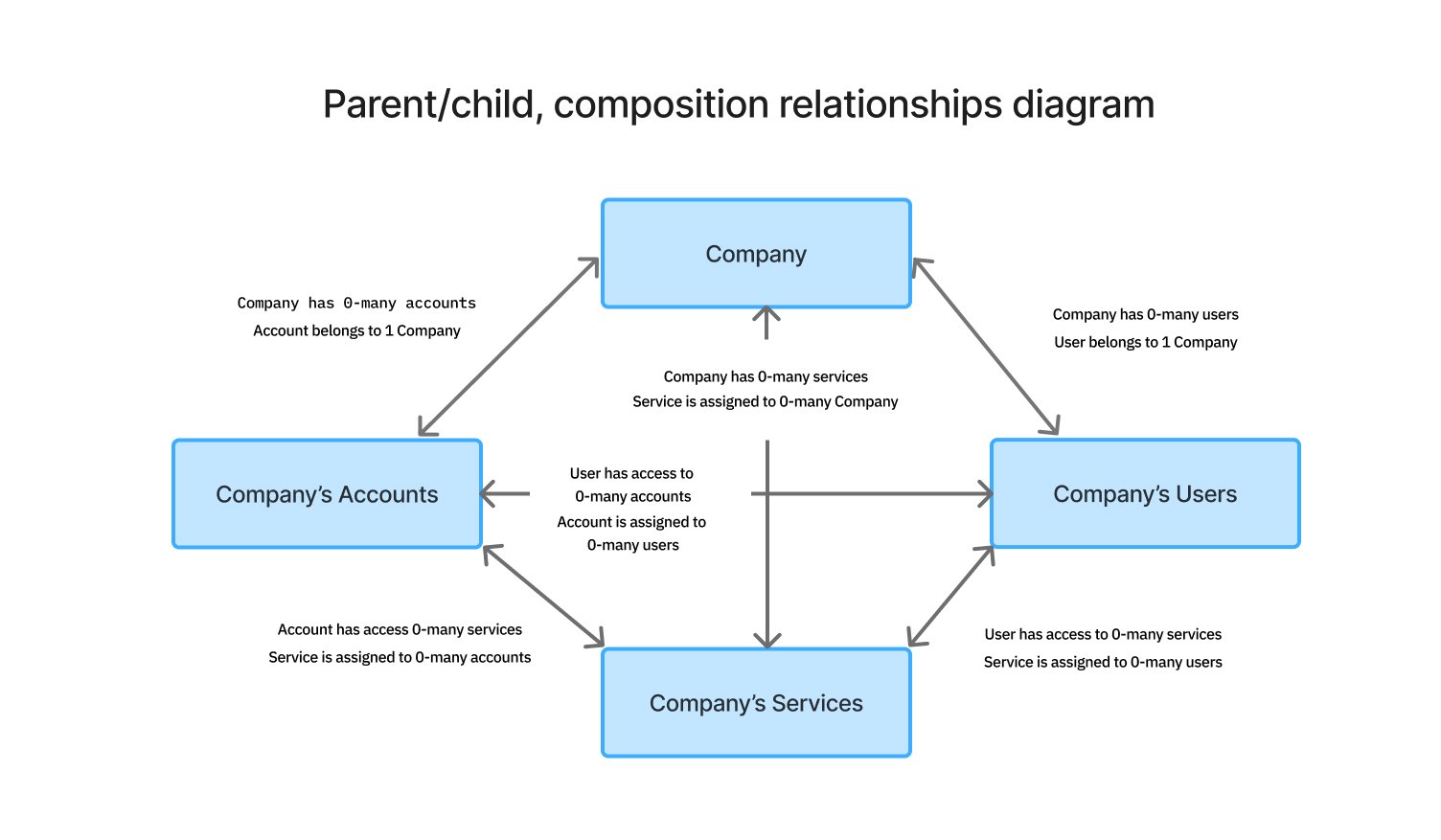
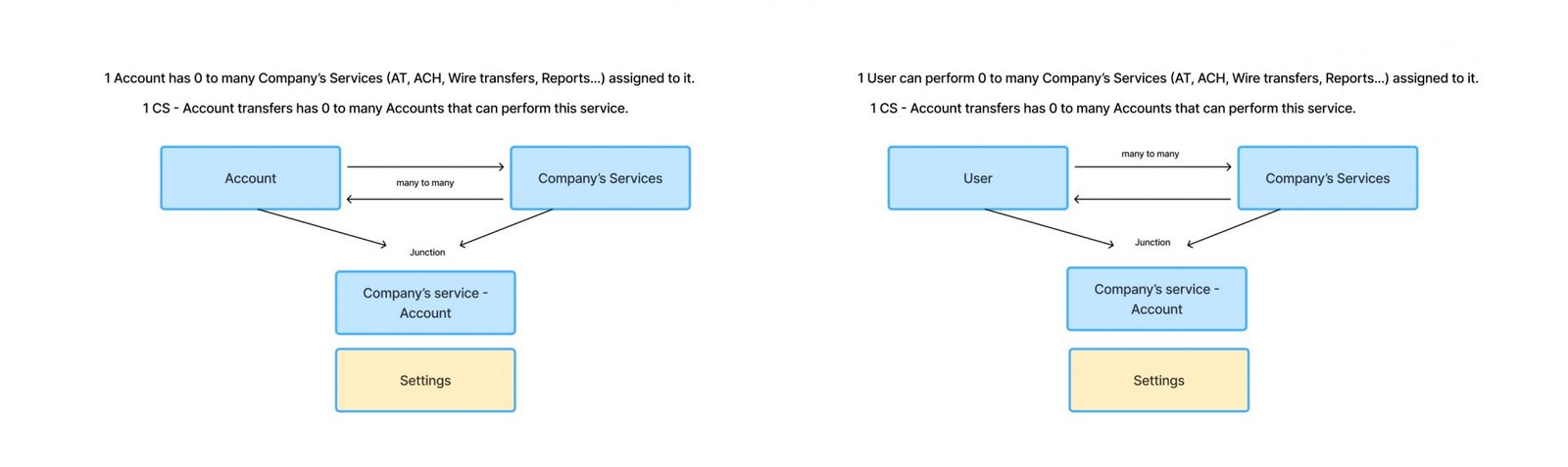
Diagrams illustrating the hierarchical structure of service assignments at the company, account, and user levels.
Hypotheses
By automatically retaining the Customer ID throughout a banker’s session and providing direct navigation shortcuts that preserve customer context, bankers will no longer need to manually re-enter Customer IDs when moving between related tasks. Additionally, displaying the Customer ID on every page within the customer section reinforces context and helps bankers remain oriented throughout their workflow.
These improvements are expected to reduce the average time spent re-searching for Customer IDs by 40% during multi-step workflows, such as moving between account, user, service settings, and customer profiles.
Proof of concept -
usability testing
My team and I designed and tested a structure that differs significantly from the current system, introducing contextual left navigation with a persistent Customer ID, along with a search component that enables easy switching between customers.
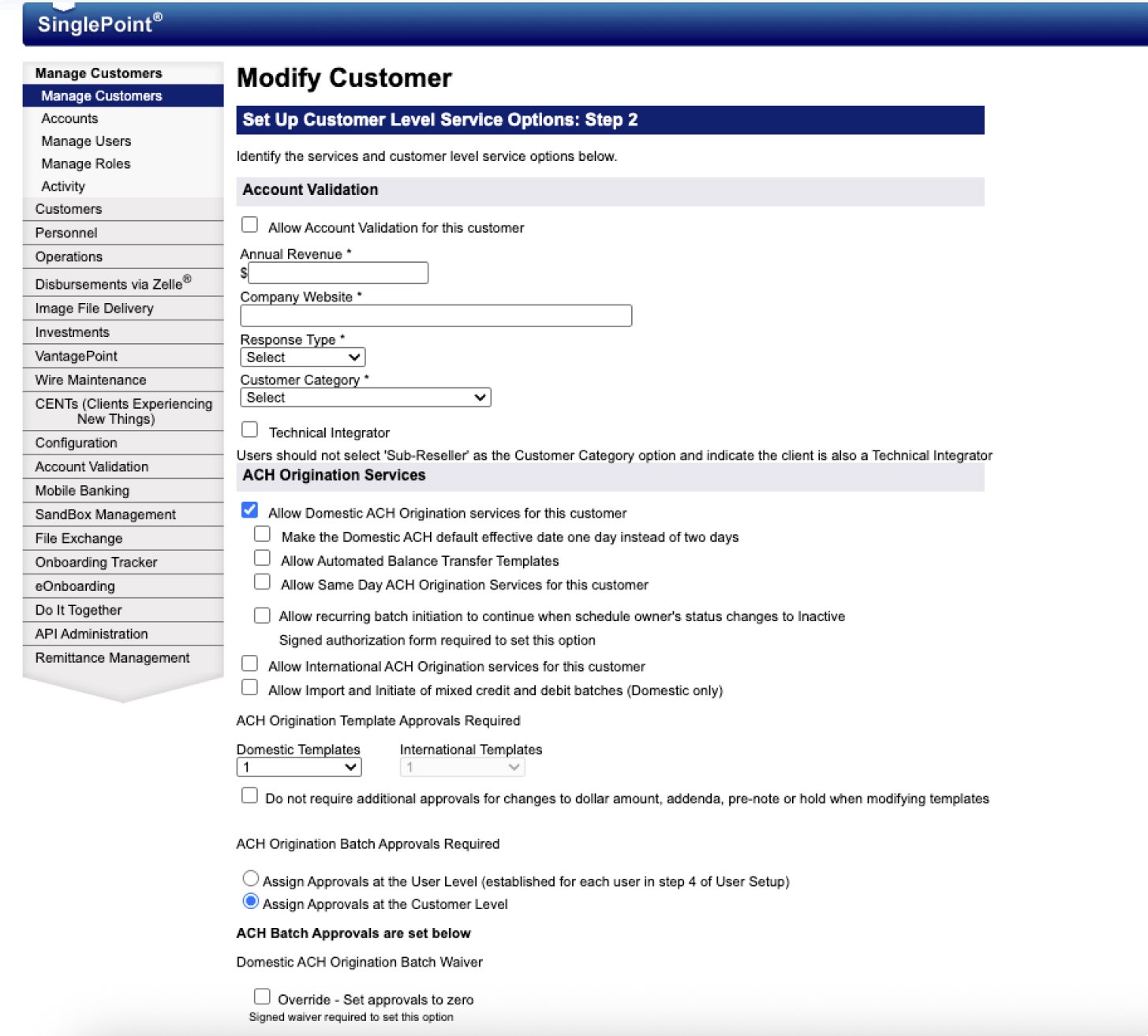
The legacy system lacks visibility into the Customer ID, provides no easy way to switch between customers, and offers no contextual navigation.
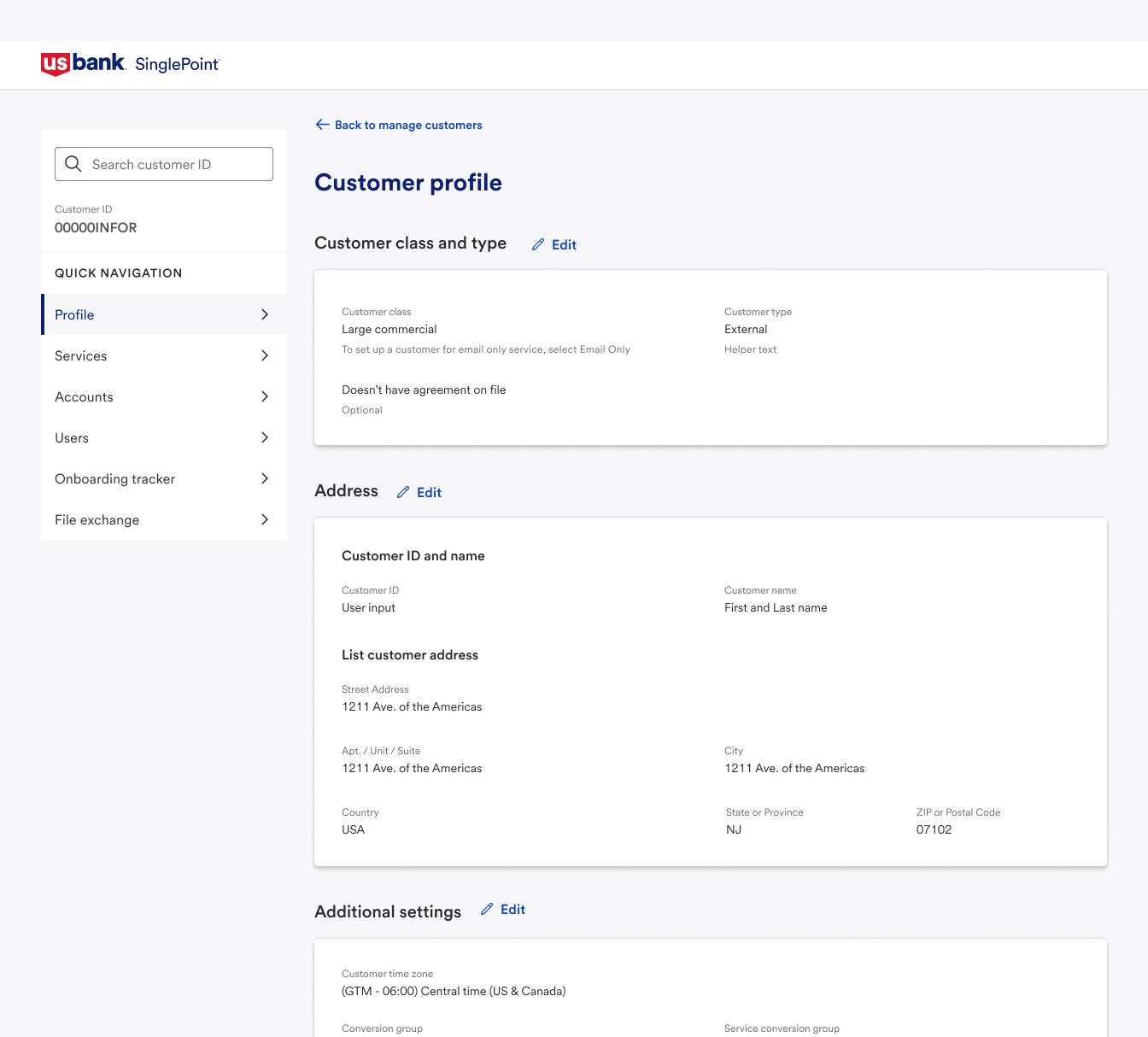
Redesigned Profile page featuring a persistent Customer ID and contextual left navigation.
Customer profile page
Users highly value seamless navigation between services, accounts, and users without re-searching for the customer, describing it as a major time-saver and less frustrating experience. They also appreciate the simplified and reorganized Customer profile, which makes large amounts of information easier to manage. The clearly defined Edit button is seen as a deliberate and protective entry into edit mode, and while it adds a small extra step, users consider it a worthwhile trade-off for greater control and reduced risk of accidental changes. The option for switching between customers is found as valuable.
Customer's account page
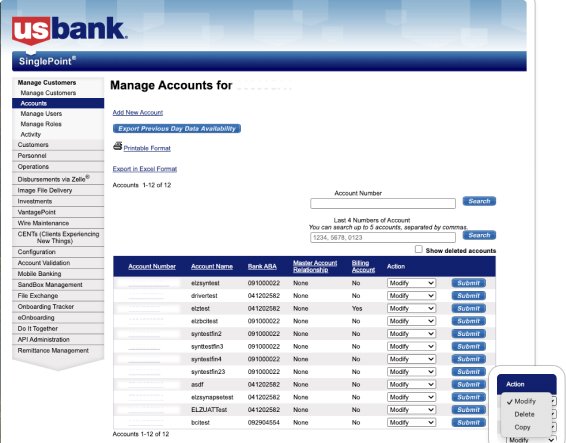
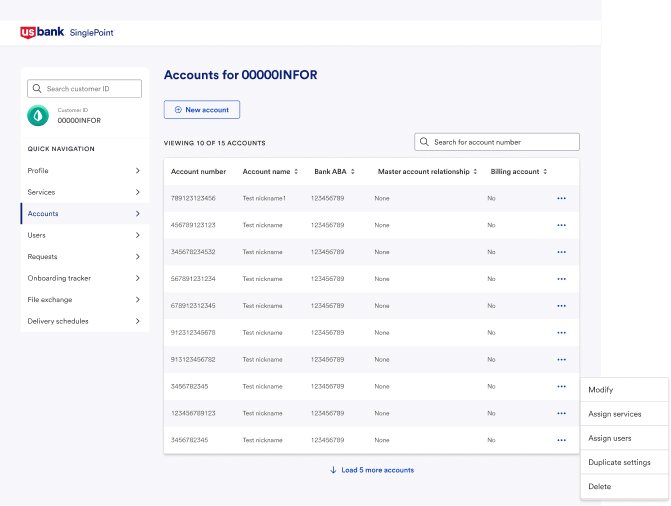
Users find most of the information on the Customer’s Accounts page valuable, but some information – such as the Master account relationships is unclear, and key contextual details like Account type and Tax ID are missing. Bankers need faster ways to locate accounts, specifically the ability to search by the last four digits of an account number. Action clarity is also an issue, as “Modify” and “Assign services” are often perceived as overlapping. Finally, users strongly value the ability to hide Deleted accounts by default while retaining the option to view them when needed for tasks such as reactivation.
Legacy Customer’s accounts page.
Redesigned Customer’s accounts page.
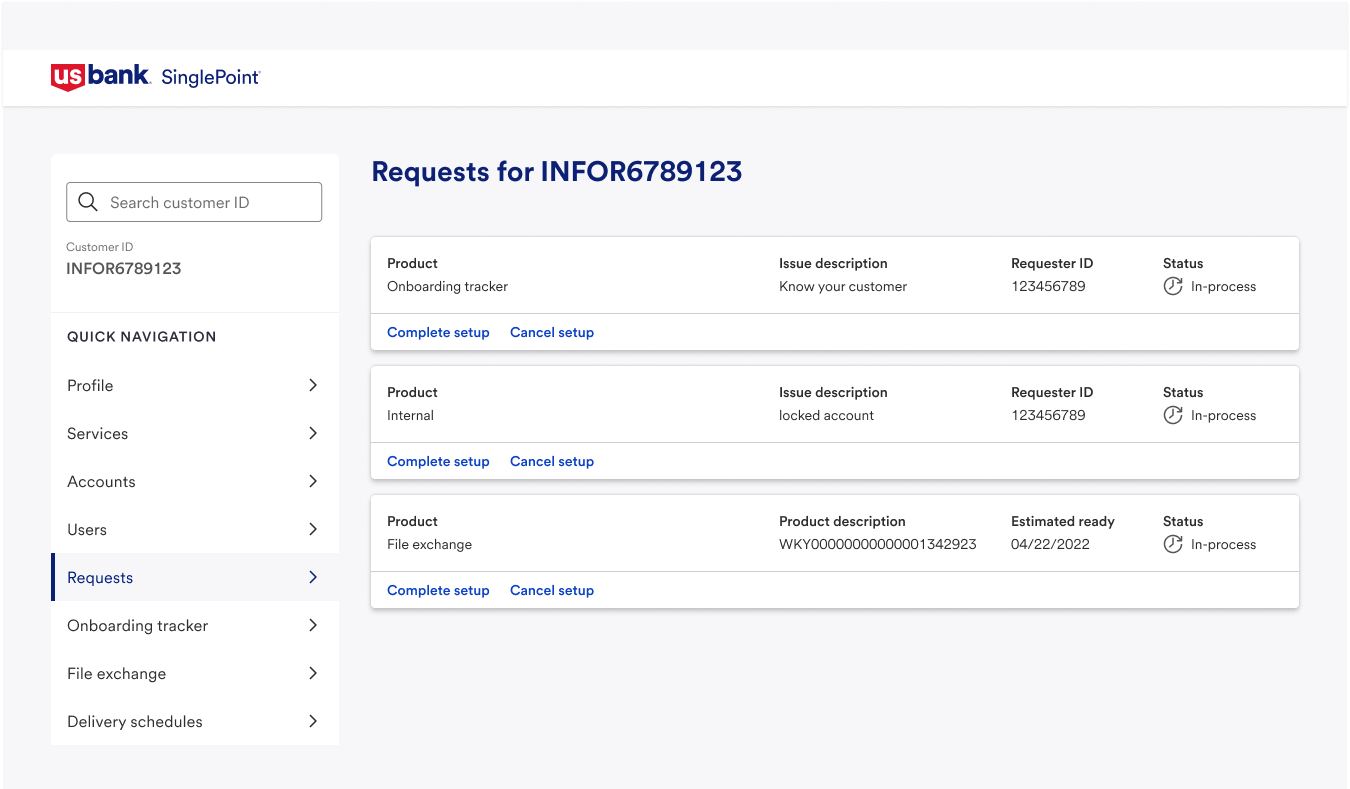
Request page
Bankers see value in a Requests page that consolidates all customer requests but initially expected it to reflect their existing support system. They want request details visible directly in the interface ideally in a sidebar to reduce system switching, while remaining mindful of information overload. Currently, viewing DIY requests requires user emulation, creating unnecessary steps and confusion; direct access to all requests in one place is needed to support efficient client servicing.
Unclear assignment paths across customer services, account, and user levels
The system operates on a three-level nested hierarchy which creates significant UX friction:
Bankers struggle to visualize and navigate multi-level dependencies.
Service assignment workflows are unclear, especially when services span multiple levels.
There is no clear mapping between users, accounts, and services, nor visibility into how changes at one level impact others.
Hypotheses
We expect that:
By establishing clear hierarchical relationships between company, users, accounts, and services, and by implementing distinct workflows for assignments at each level, will:
Reduce in average time spent setting up existing company during multi-step workflows with 30% ;
Reduce in average time spent locating and adjusting account and user settings with 50%;
Reduce the number of clicks and errors when changes at one level impact dependent levels;
Improve the navigation efficiency between users, accounts, and services for a given customer with 30%.
Approach
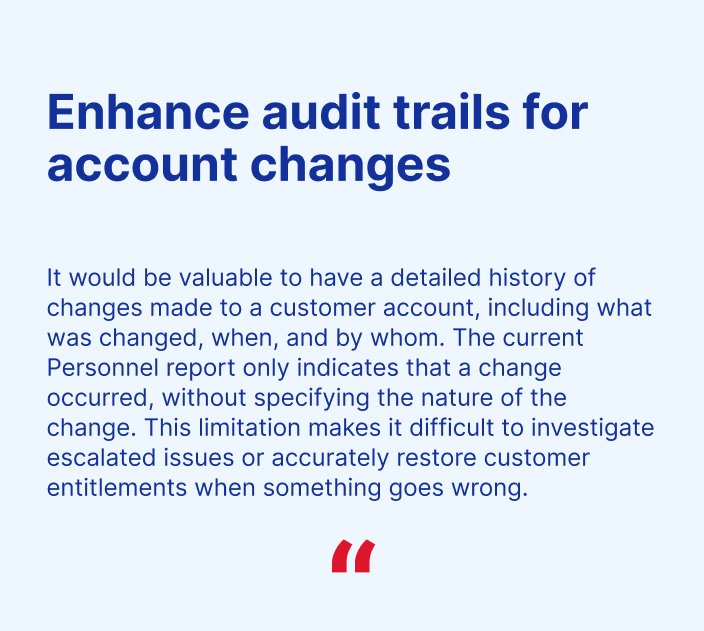
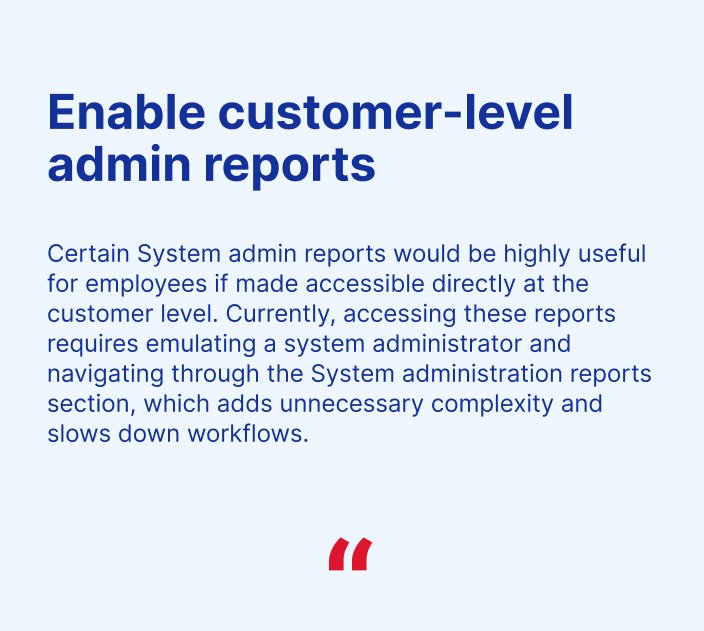
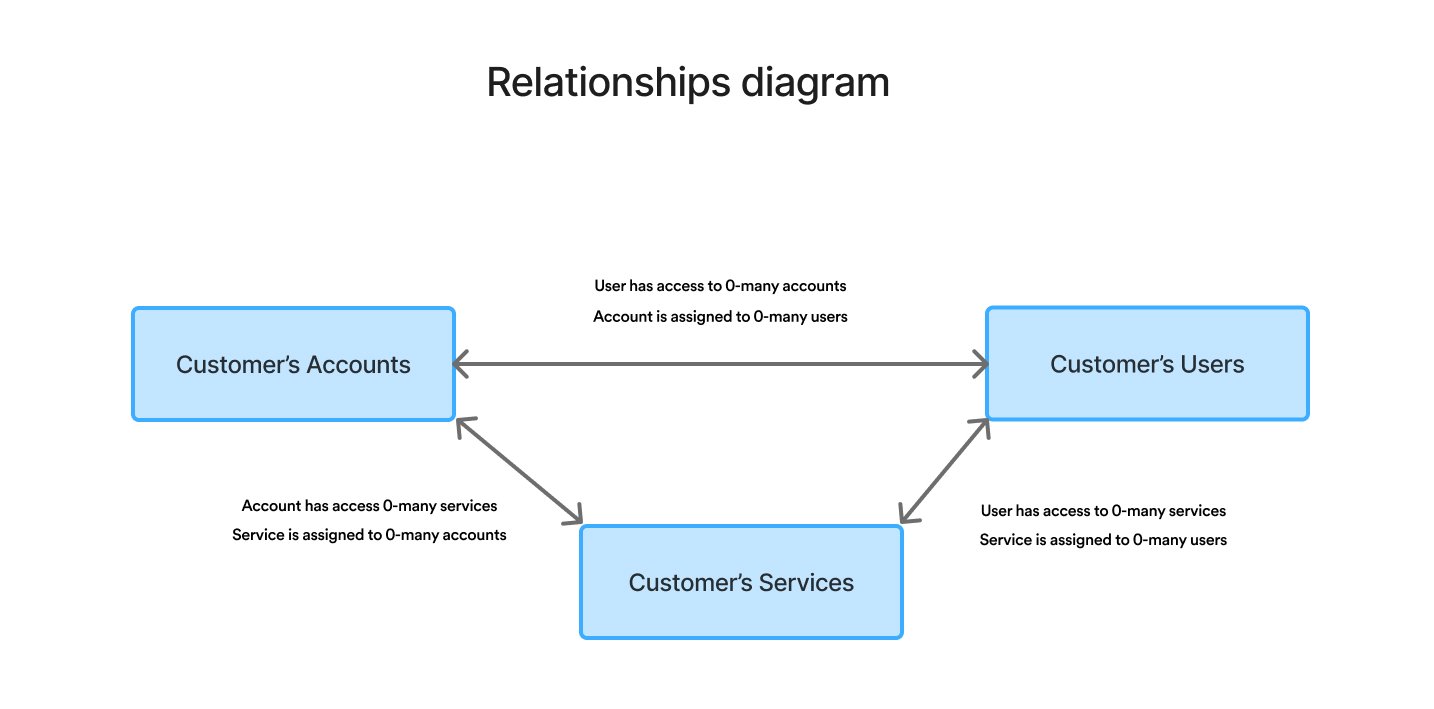
In the current back-office system, the relationships between customer’s services, accounts, and users are not clearly presented. As a result, bankers cannot easily navigate from one section to another related section.
Why this is important: Clear relationships enable contextual navigation, provide essential information, and make the assignment process significantly easier and more efficient.
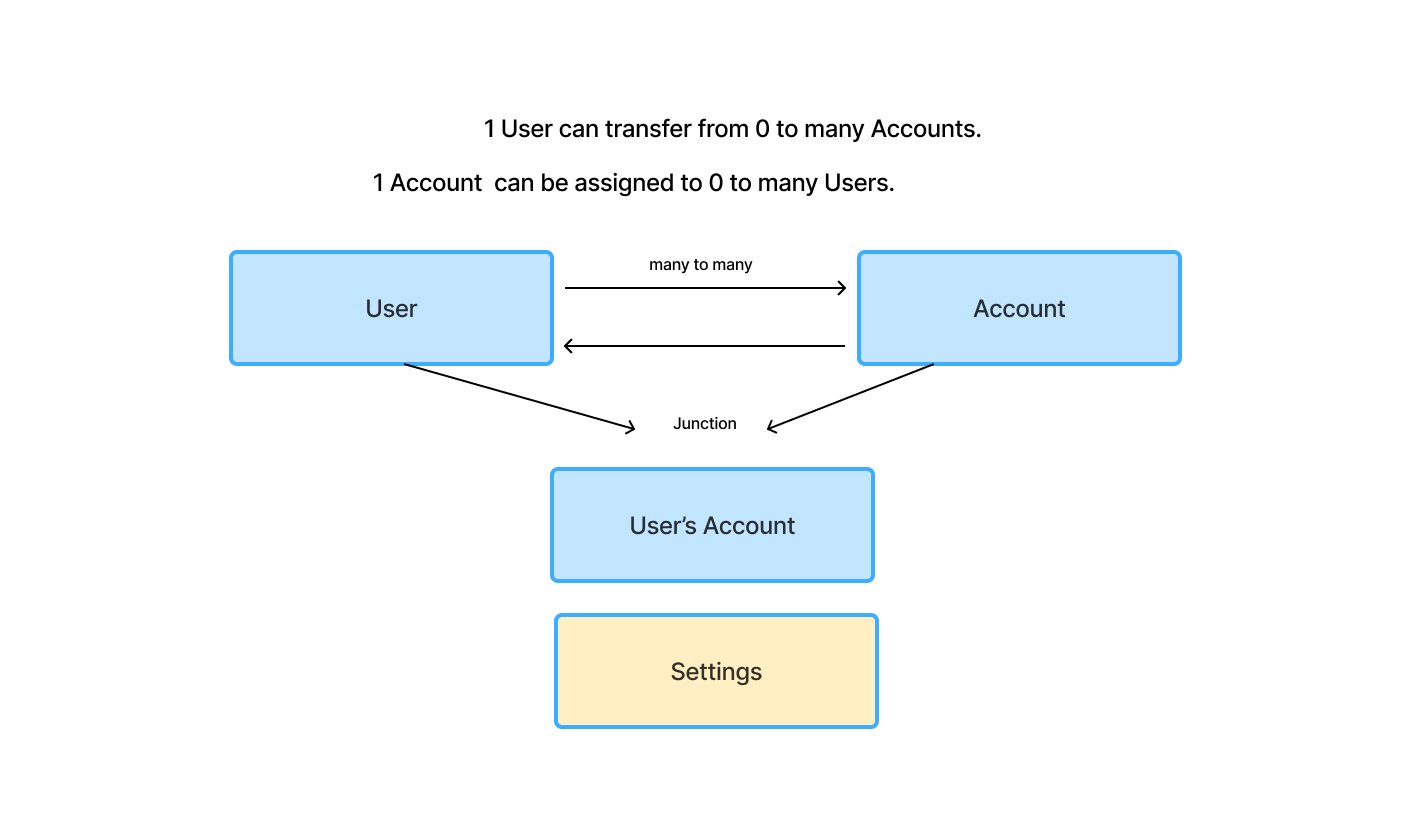
Diagrams illustrating the relationships between Company’s Services, Accounts and Users.
Customer's services page
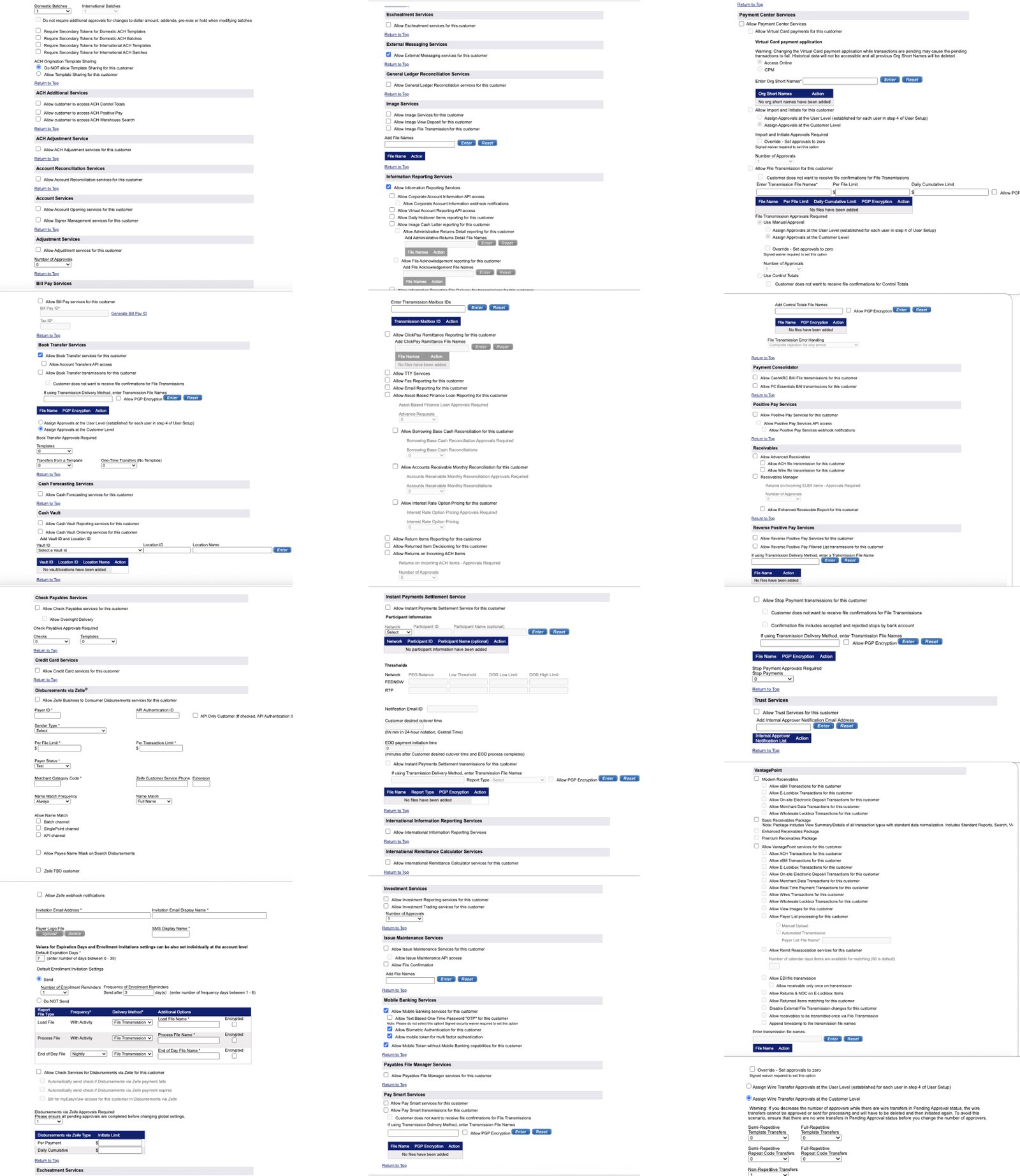
Part of the legacy Customer’s services long form with settings.
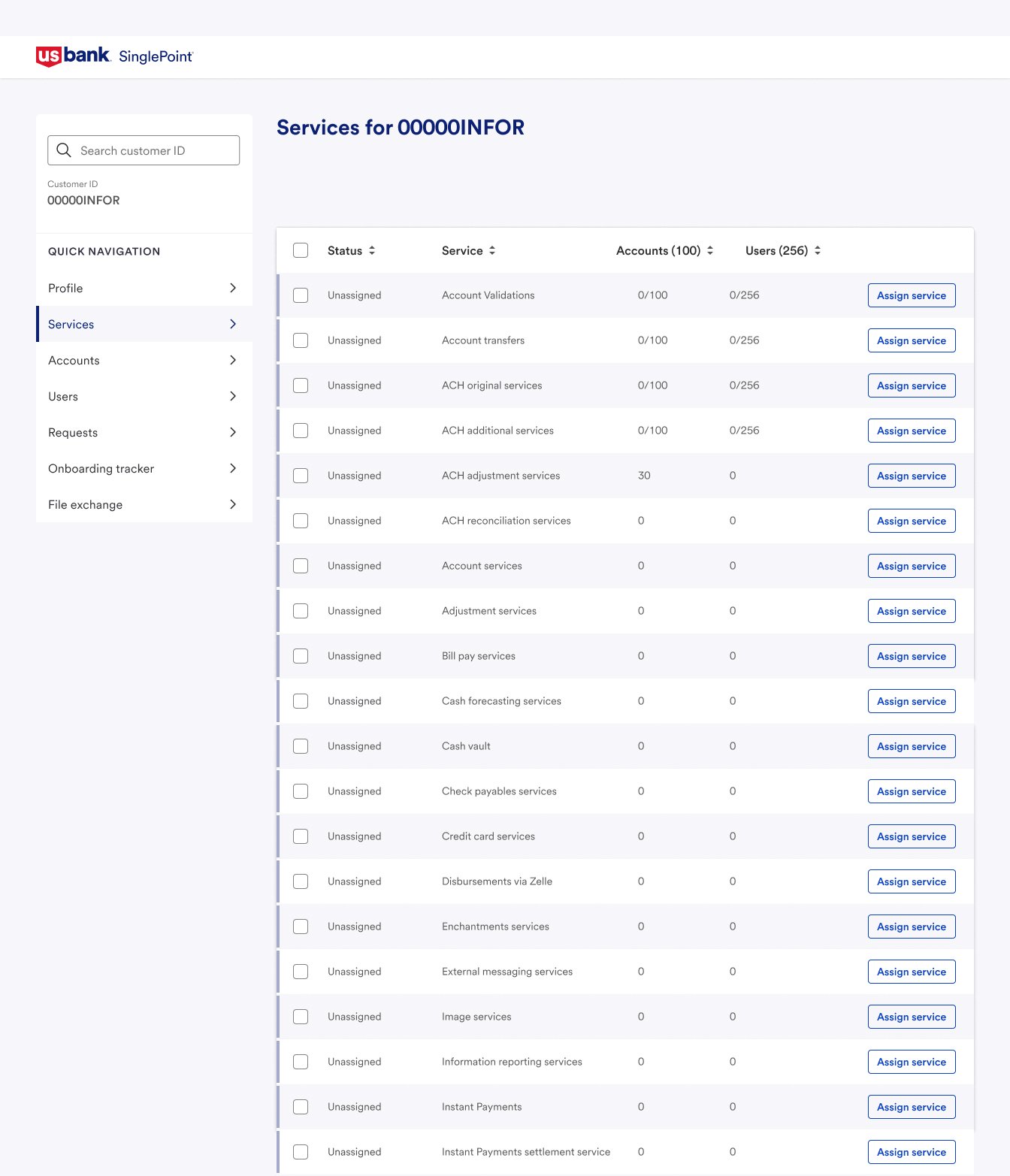
Redesigned Customer’s services page with services presented as table rows for easier scanning.
Users are experiencing changes in the Services screen, which now breaks information into separate pages rather than displaying all details on one screen. While this new layout is cleaner and may be less overwhelming for new hires, it requires more clicks to view all services and account details. Some users prefer the old format for its quick overview capability and suggest a toggle option for switching between full view and service-level view.
Suggestions:
Services to be ordered alphabetically;
All of the services to be listed on the page;
Unclear actions and statuses – change enabled to assigned and disabled to unassigned. Number of accounts and users are very helpful, and they also want to see the total number of accounts;
It would be helpful if, when adding a new service at the customer level, they could select the accounts (and potentially users) that service is supposed to be added to at the same time.
Navigation flow
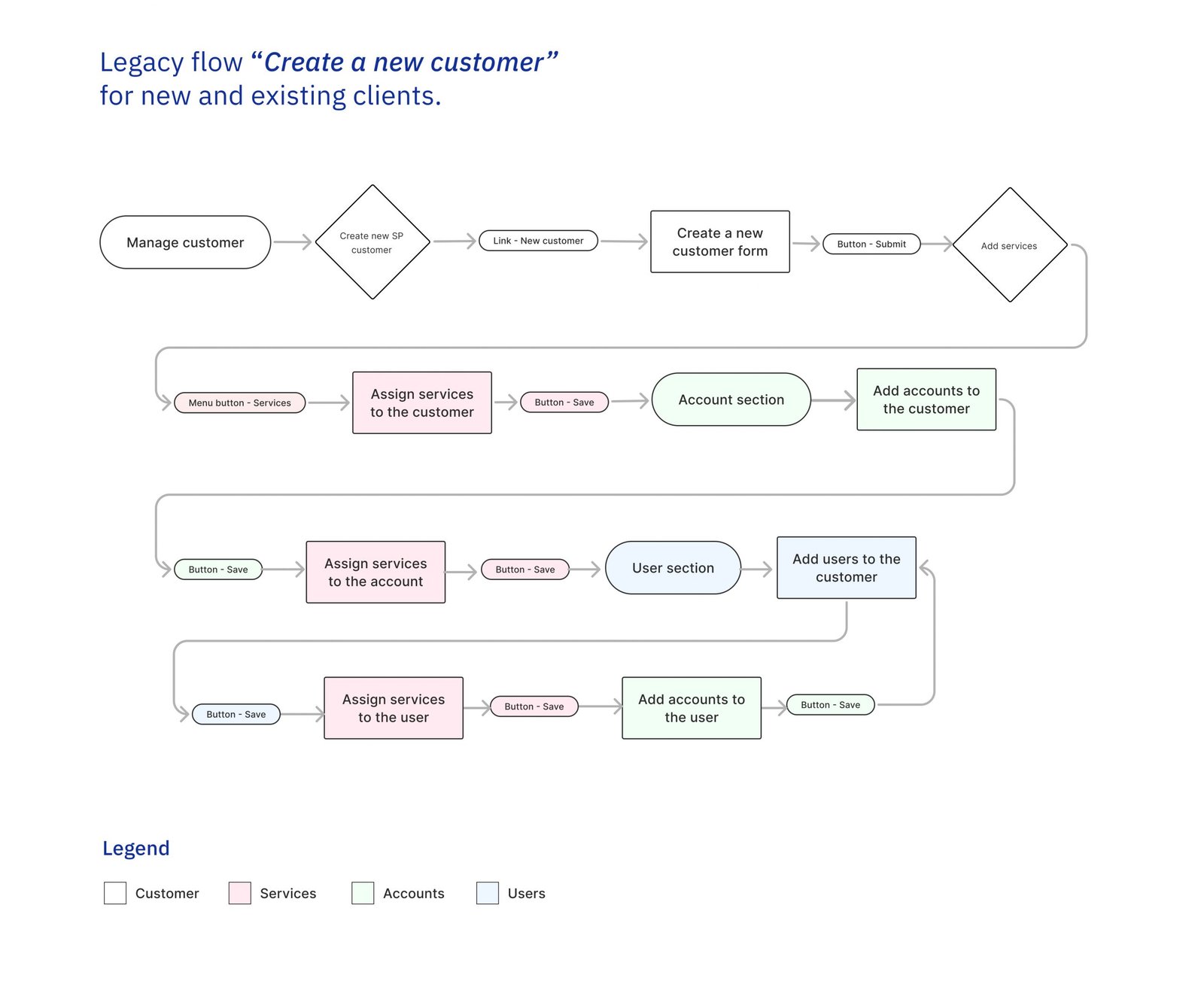
In legacy Create new customer flow, bankers follow a strictly linear process – create a new customer, assign services at the company level, create an account and assign services, then create users and assign services to them. While this flow works for initial company setup, it does not provide an effective way for adding additional services, accounts, or users to an existing customer.
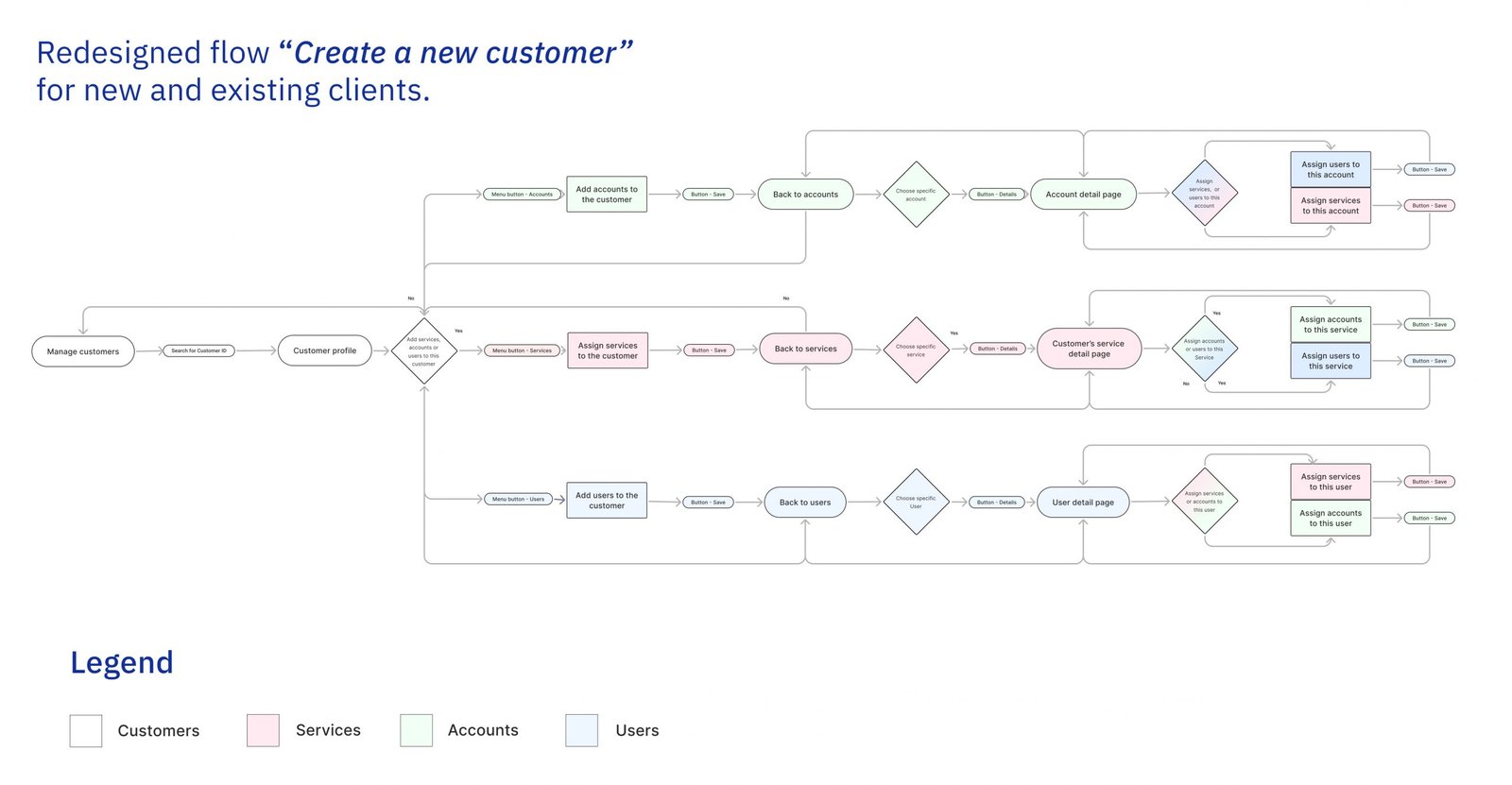
To address this problem, I applied Object-oriented UX principles by introducing dedicated detail pages for each core object – services, accounts, and users. These pages make object attributes and relationships explicit, enabling bankers to edit settings and clearly establish connections between related objects.
This redesign reduced the time required to add and connect services, accounts, and users by 50%.
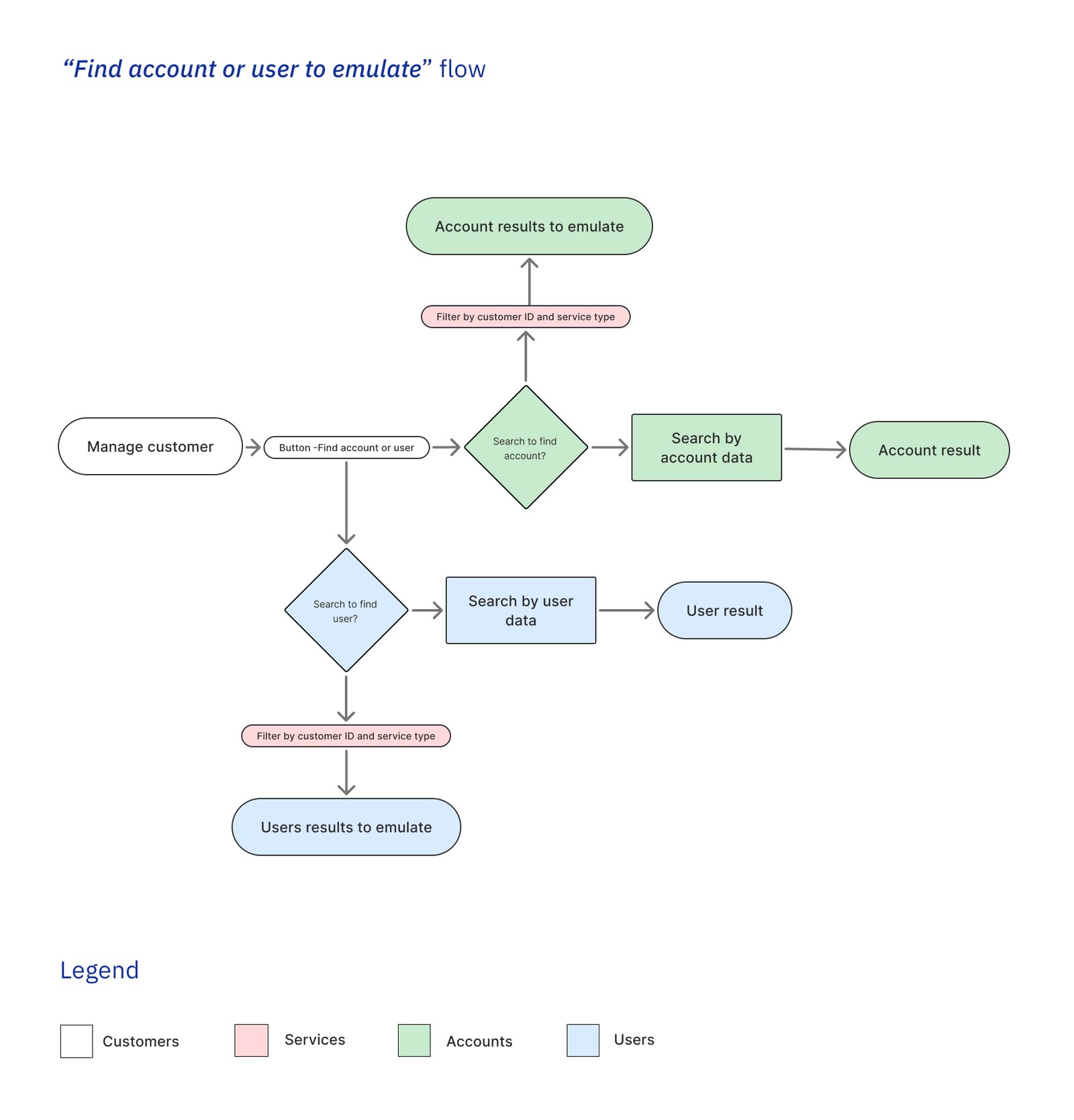
No efficient way to find users and accounts for emulation
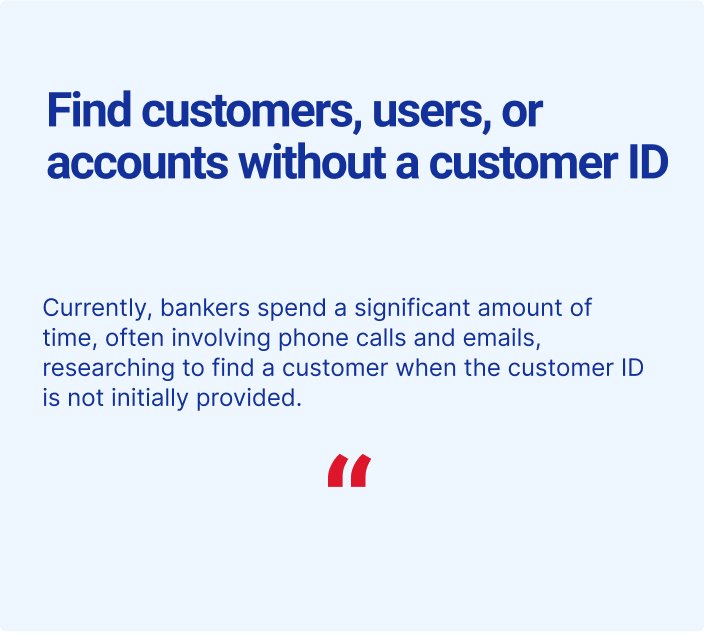
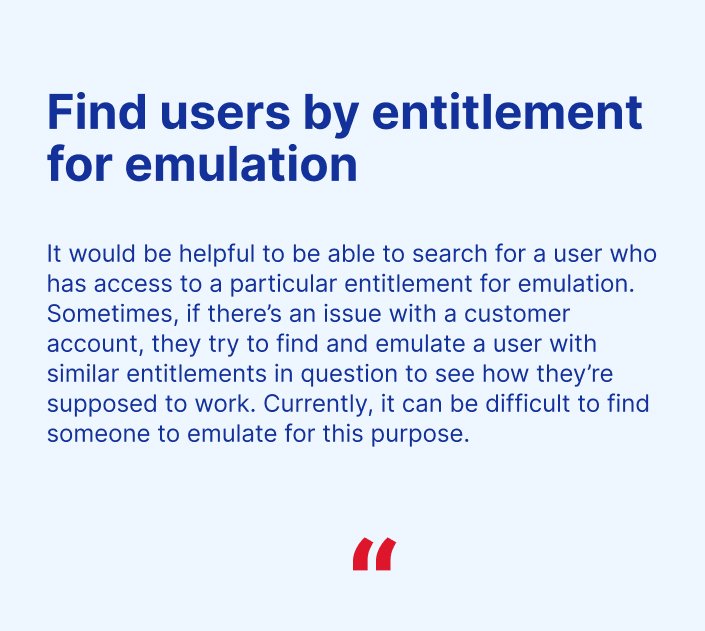
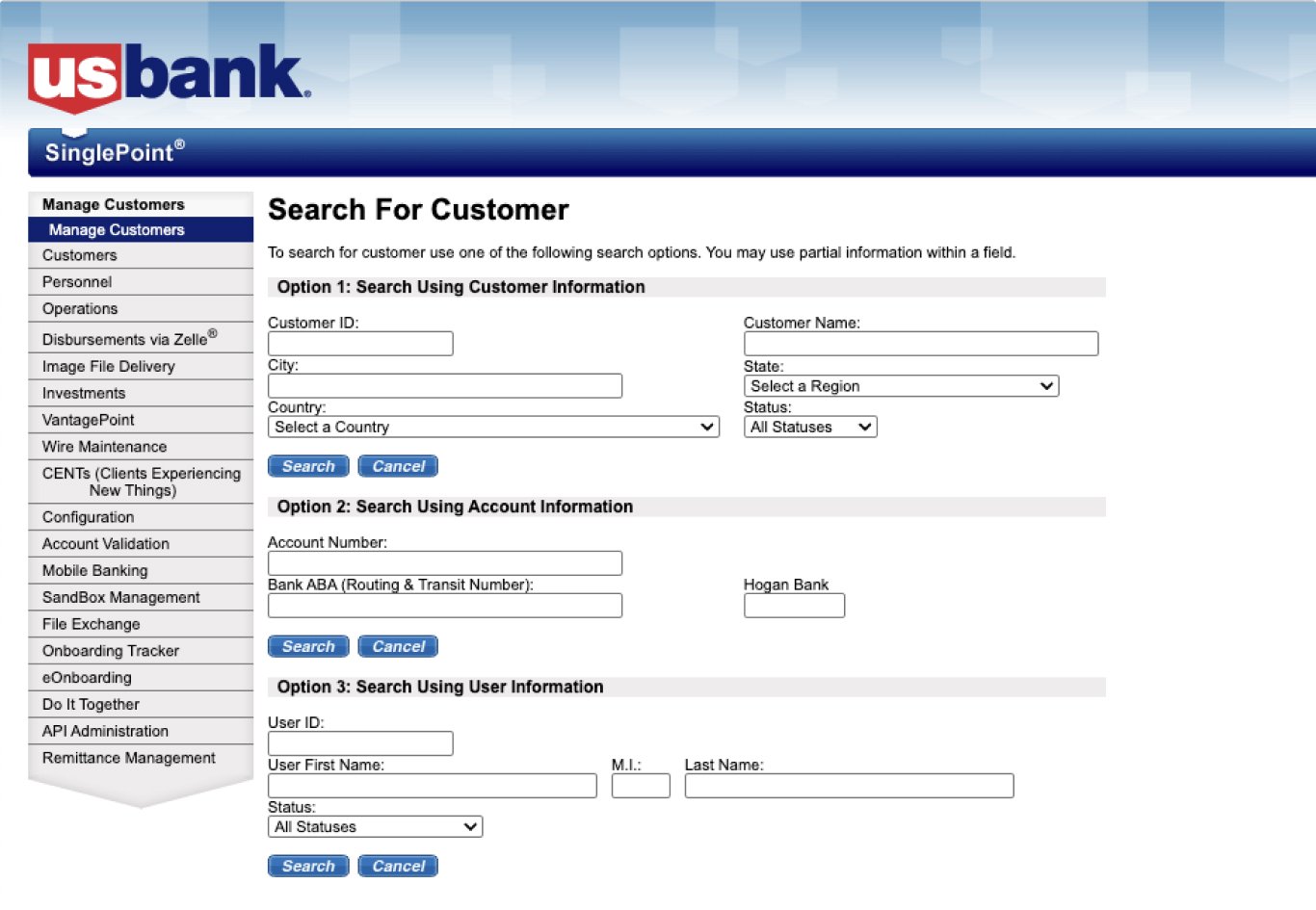
CCS Bankers rely on emulation mode to efficiently support users by viewing the interface exactly as the user sees it. A key part of their workflow involves identifying another user with similar entitlements to emulate, allowing them to review that user’s settings and replicate the configuration for the user experiencing issues. However, in Classic SP, there is currently no efficient way to search for users based on specific service entitlements. As a result, bankers must manually review users one by one to find a match, which is time-consuming and inefficient. Additionally, bankers need the ability to find users and accounts even when customer information is not available. They need to search using account-level or user-level data.
Hypothesis
By enabling searches for users with specific service assignments and allowing searches based on account- and user-level data, we expect SP bankers in Commercial customer support and Client implementation to reduce the time spent finding users with specific services by 60% during multi-step workflows. This improvement is also expected to accelerate issue resolution by 40%, as bankers can more quickly identify comparable user configurations without relying on additional data sources.
Approach
During discovery, we identified how services, accounts, and users are connected to one another. These relationships already exist and need to be explicitly represented in the system to support better contextual navigation. SinglePoint bankers must be able to filter by any object and easily find all related objects.
Navigation flow
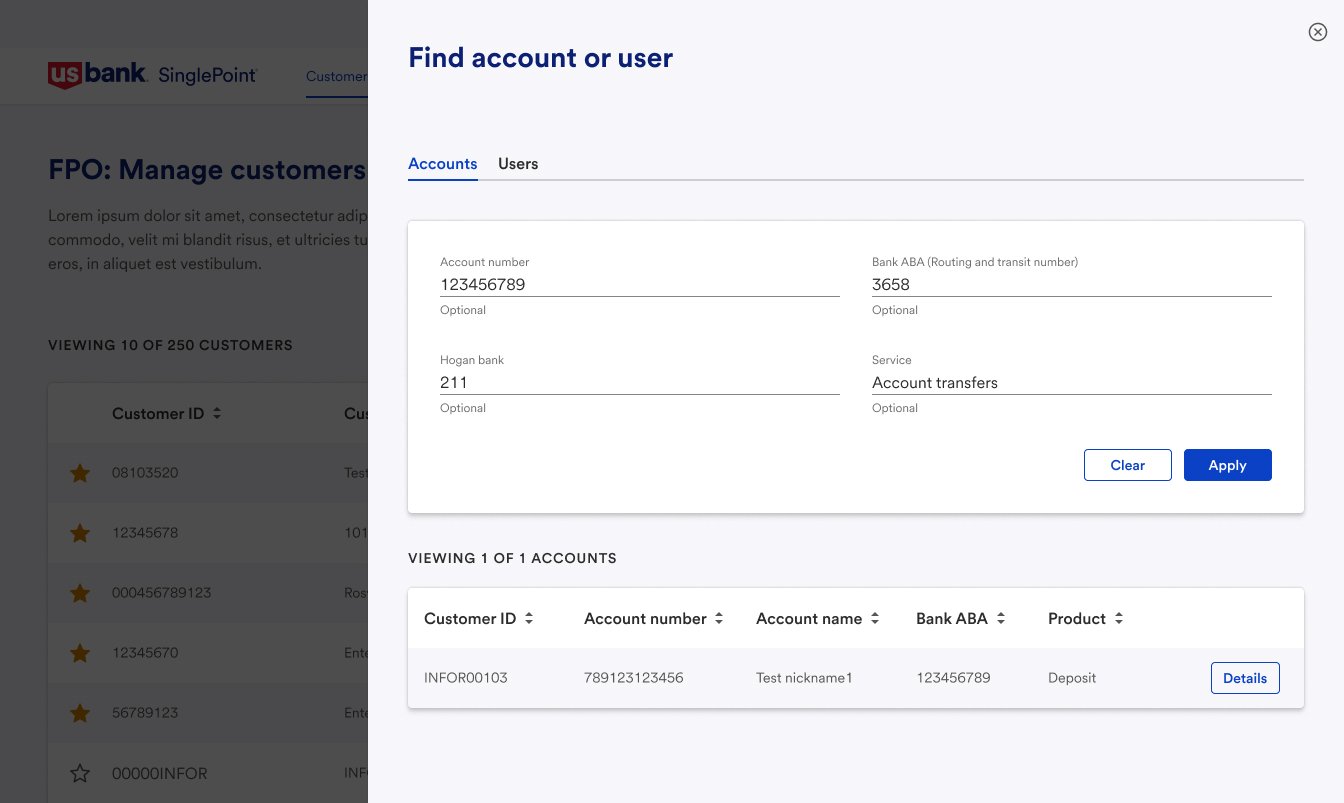
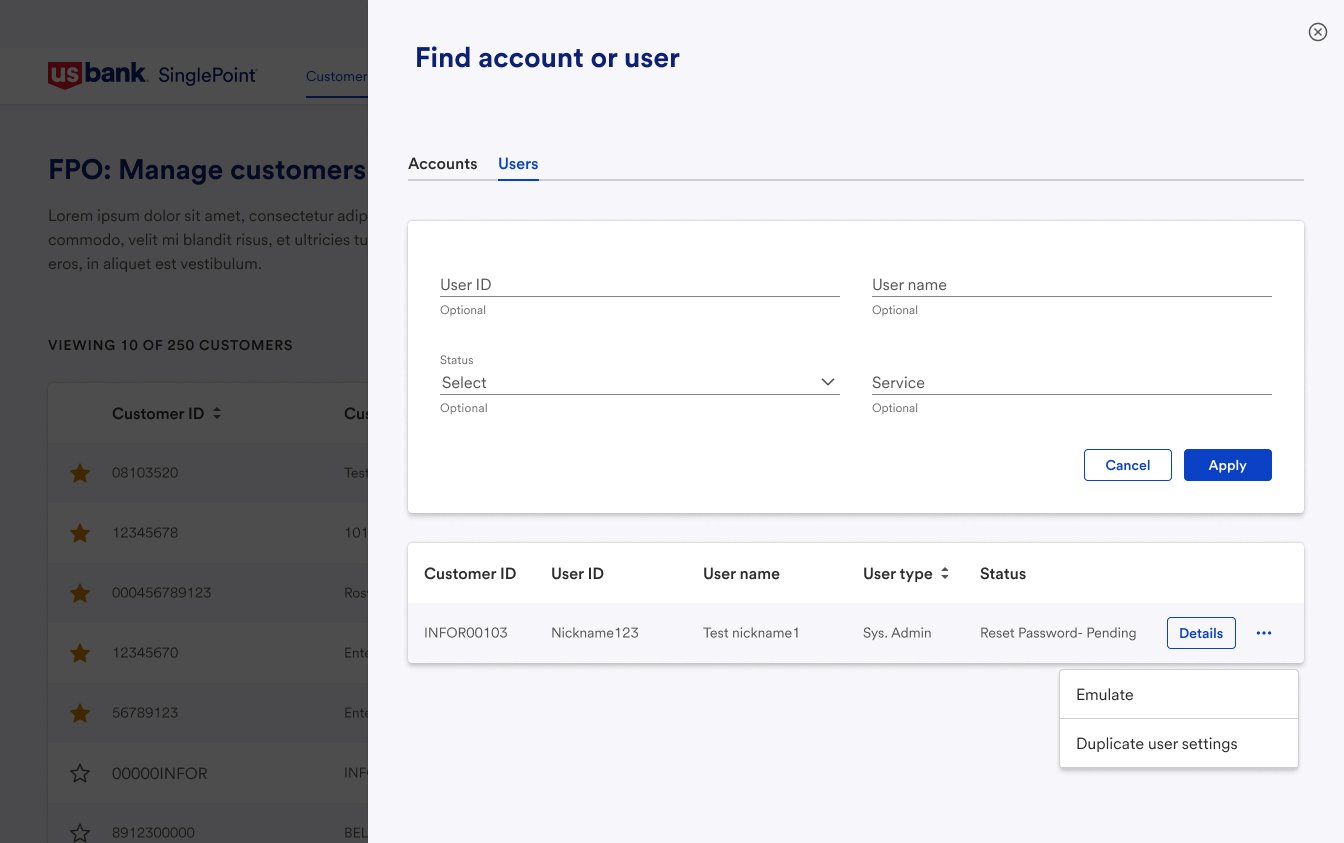
Find account or user drawer
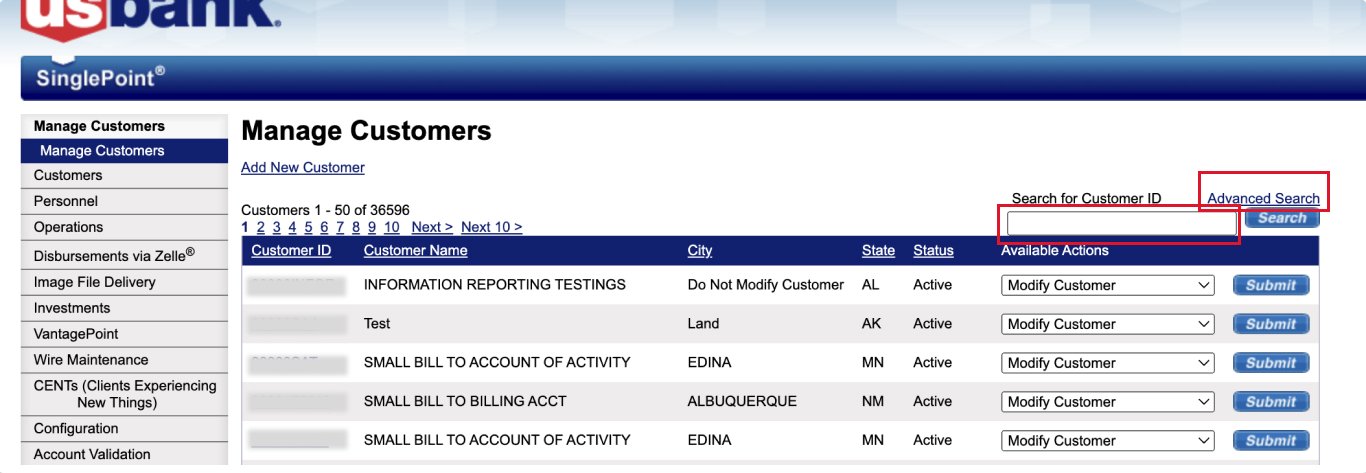
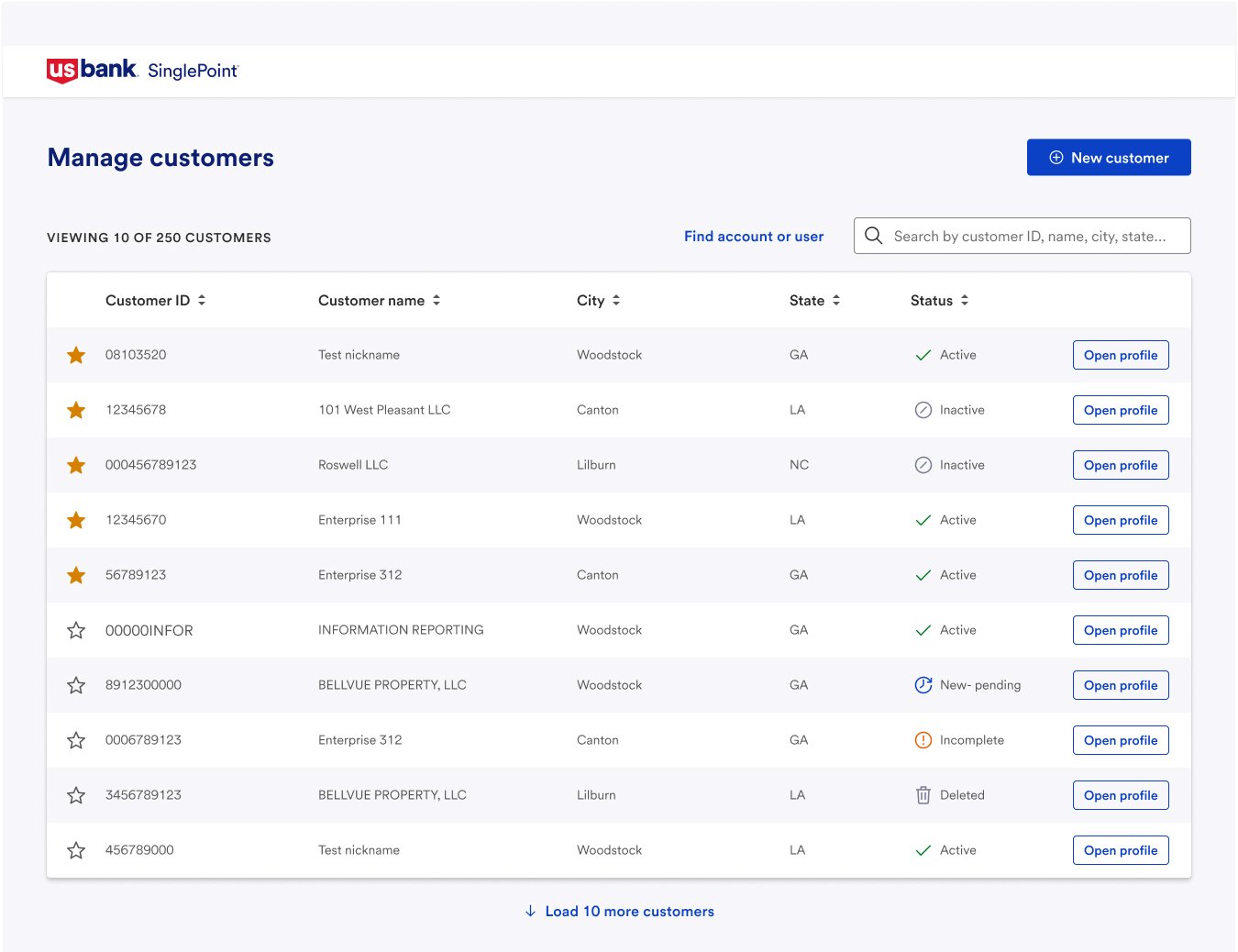
In the redesigned Manage Customers page, we added additional search options that allow bankers to find customers not only by Customer ID, but also by customer name, city, state, and status. We also replaced the Advanced Search link with a Find Account or User drawer button to improve clarity and usability.
A legacy Manage customers page
Redesigned Manage customers page
Legacy Advanced search page lacking service-based filtering for accounts and users.
Redesigned Find account or user drawer with ability to filter by services.